Centrally managed email signatures, for Microsoft Outlook
Create consistent signatures centrally and roll them out automatically to every employee, right inside Microsoft Outlook. No manual setup, no outdated data, no privacy risk. And linked to your digital business card.
Consistent email signatures for your whole team
Design brand-compliant signatures centrally and roll them out automatically to every employee, linked to the digital business card. Always up to date, no manual upkeep.
- Designed centrally One on-brand template, consistent across the entire company.
- Automatically in sync Signatures pull data from oneVcard profiles and stay up to date.
- Roll out in Microsoft 365 Server-side rules for Outlook & Exchange, every email carries the right signature.
- Linked to the digital card Each signature links straight to the oneVcard, with QR code and lead generation.
Available from the Teams & Enterprise licence.
Hi Ms Wagner, thanks for the great chat. My contact details are attached, just tap the card.
Lena Wagner
Senior Developer · Drocksler AG
View digital business cardWant every email to look
automagically professional
with nothing left to
set up by hand?
Create signatures effortlessly
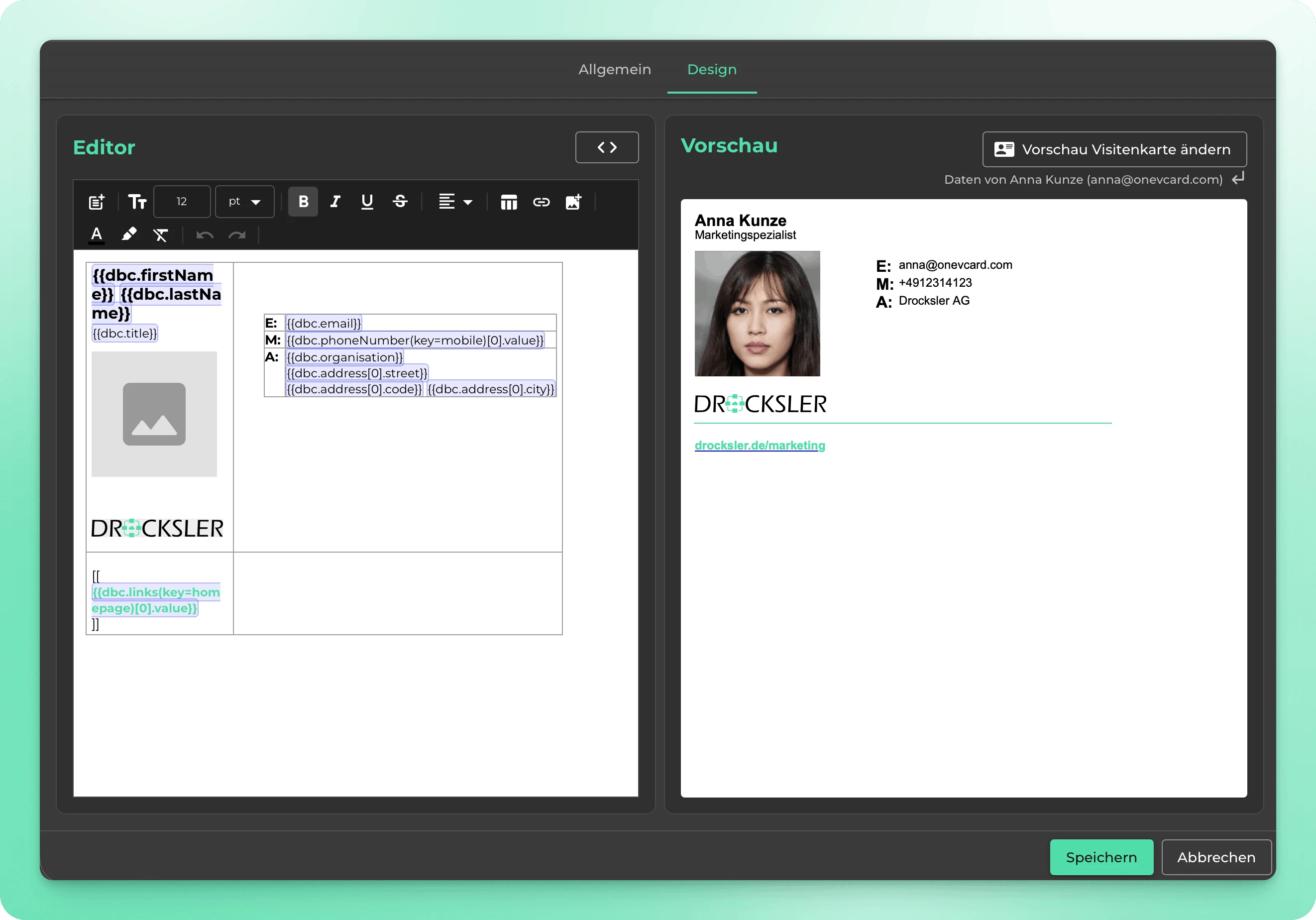
Design signatures in the visual editor or directly in HTML, flexible for marketing and IT, with no restrictions.
- Visual editor, no technical know-how required
- HTML editor for full creative freedom
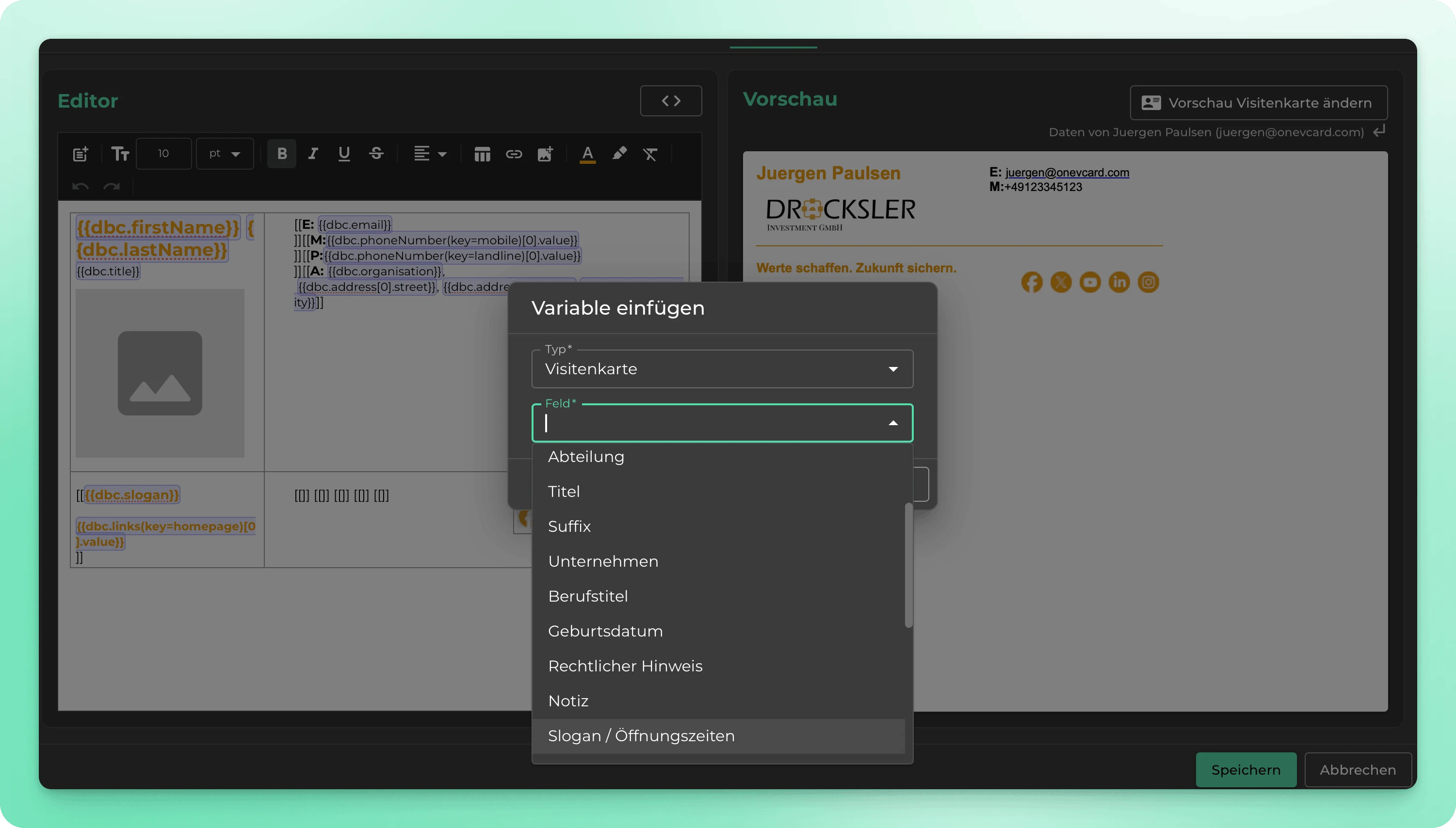
- Insert any variable, name, title, phone, via dropdown
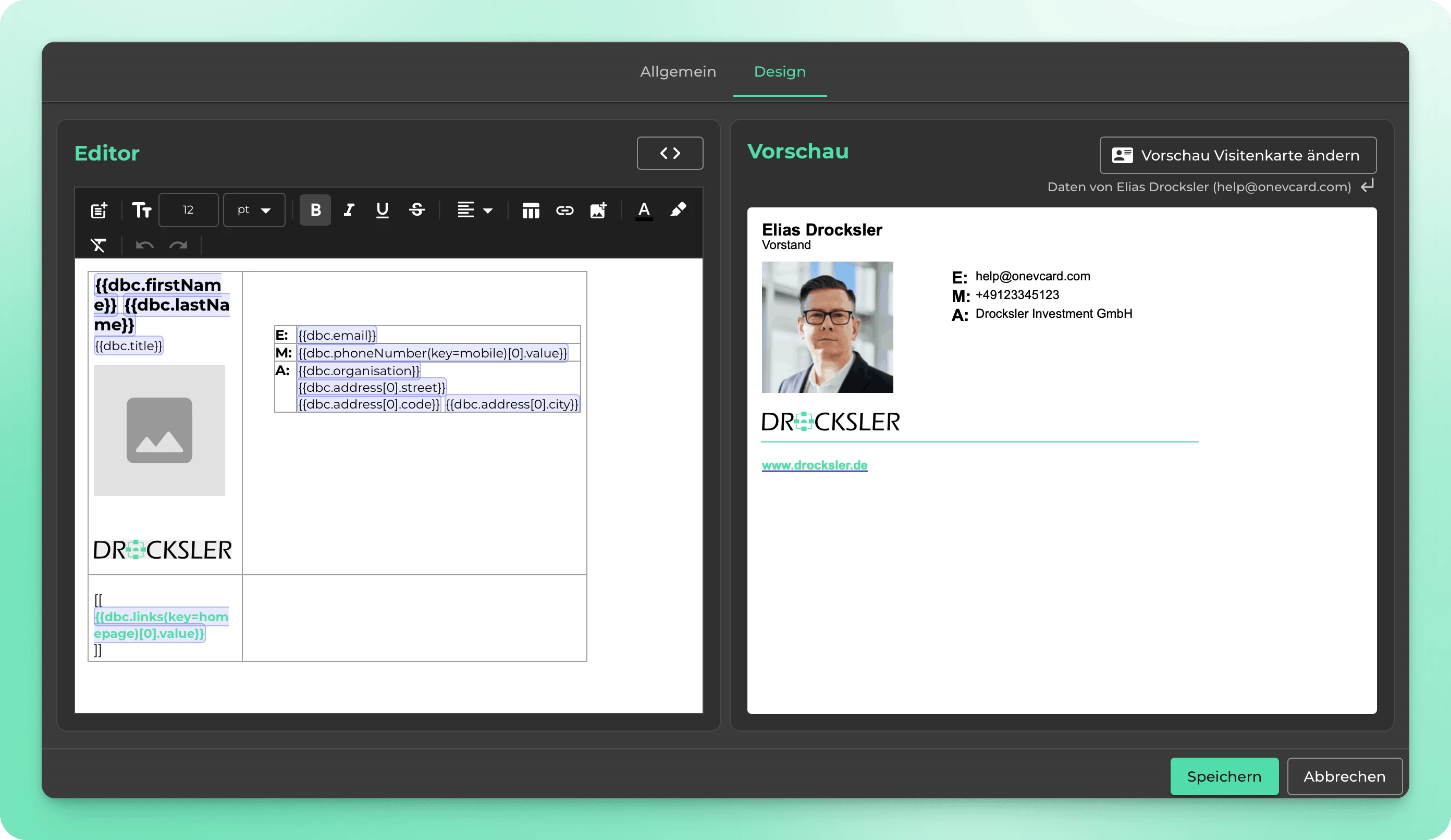
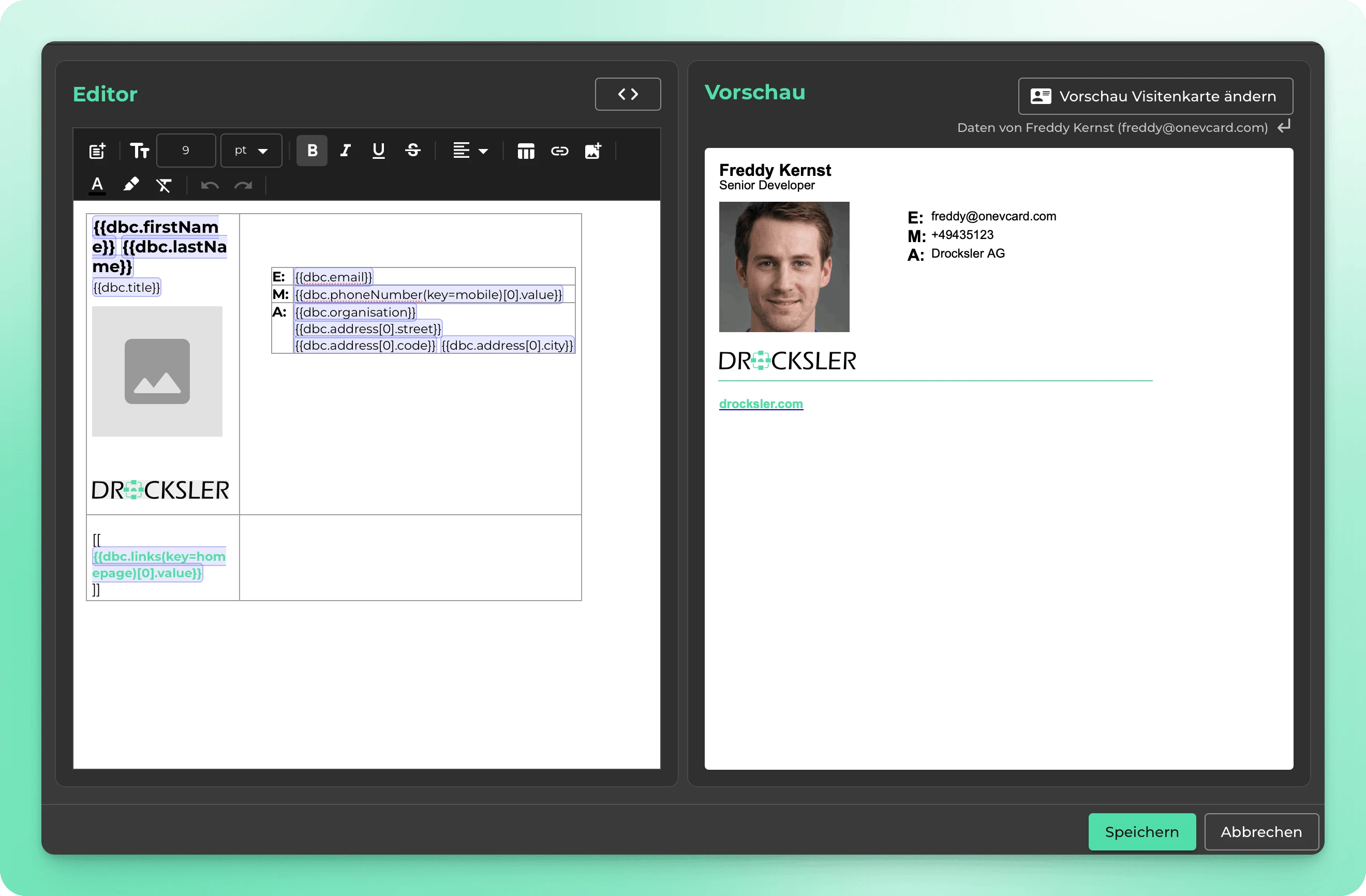
Review before rollout
Test every signature with real employee data before it goes live, no test send needed.
- Preview for any employee you choose
- No test send necessary
- Verify safely before rollout
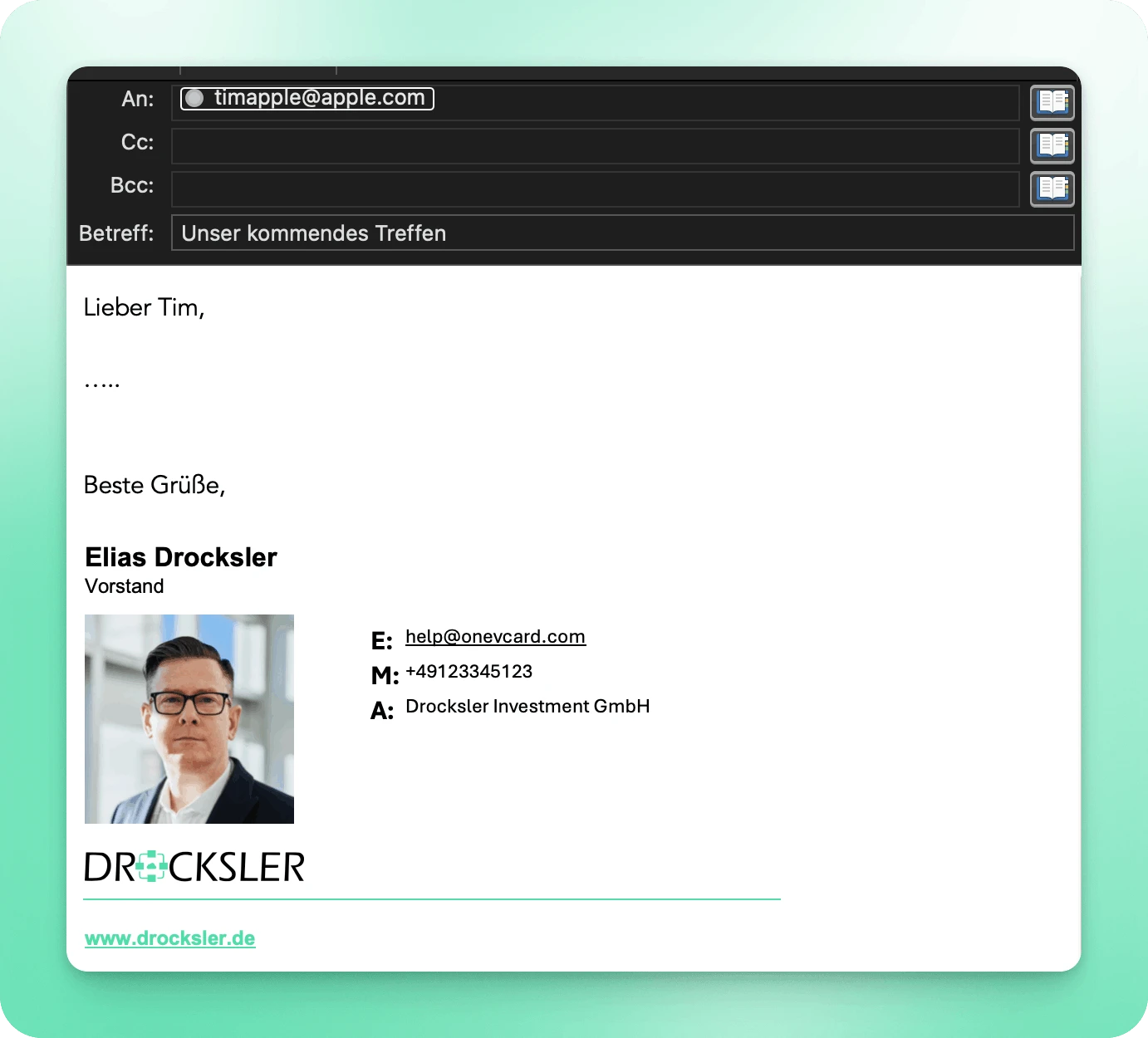
Images always work
Logos, photos and banners display reliably on the recipient's side, no manual approval needed.
- Reliable image display across all Outlook versions
- A professional impression for every recipient
- Zero effort for the sender
Insert data automatically
Fields like name, job title, phone number or photo are pulled in automatically from oneVcard or Microsoft Entra, maintain once, up to date everywhere.
- Microsoft Entra / Azure AD integration
- HR integrations: SAP HR, Personio, BambooHR and more
- Manual upkeep or CSV import
- Conditional logic for departments and roles
- API for custom integrations
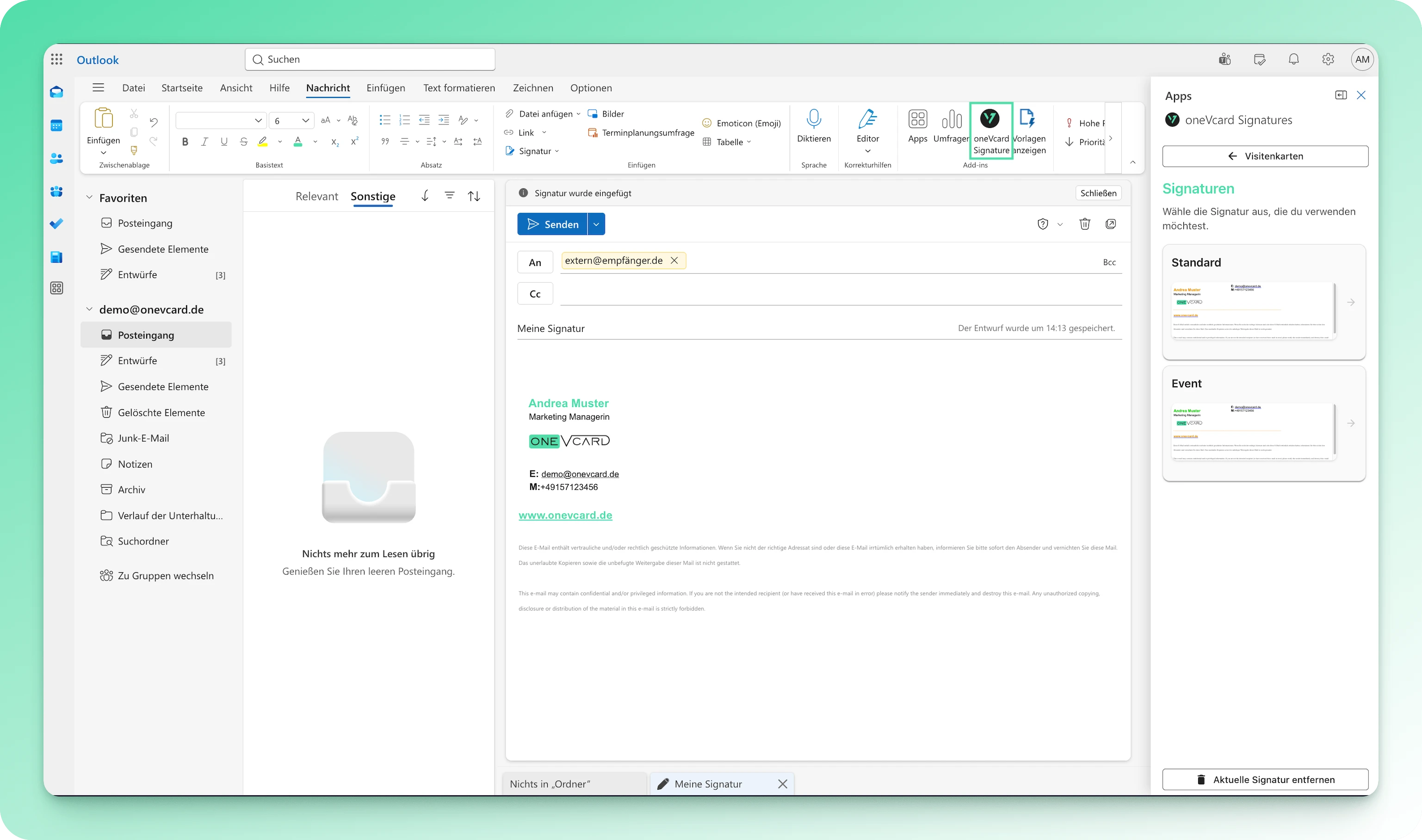
Pick your signature right inside Outlook
The oneVcard add-in lives right inside Outlook. Your team picks the right signature with one click and starts writing with no detours, on desktop, web and mobile.
Your data stays in your hands
Built and hosted in Germany, deeply integrated into your Microsoft 365 environment.
Hosted in Germany
Development and hosting exclusively in Germany: GDPR-compliant and without third-country risk.
No email routing
Emails never flow through external servers. You use your own Microsoft 365 infrastructure, entirely within your tenant.
No privacy risk
No forwarding of email content to third parties. Full control over your data and communication.
Microsoft Partner
oneVcard is a Microsoft Partner, the Outlook add-in is officially certified and deeply integrated into Microsoft 365.
The right signature, always automatic
Everyone can have multiple signatures. New email or reply, a specific department, recipient or shared mailbox: flexible rules pick the right signature automatically.
- Multiple signatures per person
- Different signature for new emails and replies
- Rules by department, group or recipient
- Also for shared mailboxes like info@, support@ or sales@
Three steps to a consistent signature
Set it up once, then it runs automatically, zero-touch for your employees.
Design the template
Create a signature template in your corporate design, with logo, colours and the fields you want.
Assign your team
Assign the template to individuals or entire Azure groups, data flows in automatically from oneVcard or Entra.
Roll out automatically
The Outlook add-in distributes signatures automatically, no installation, on desktop, web and mobile.
„With oneVcard Email Signatures we finally have consistent signatures across the entire company. Central management saves us an enormous amount of time, and everyone automatically has the latest version, without us distributing anything manually.“
Florian Klesse
Steuerberatung Dreikantz-Klesse
Email signatures, explained
How are signatures distributed to employees? ▼
The Outlook add-in distributes signatures automatically to all assigned employees, without them installing or configuring anything (zero-touch).
Does the solution work without Azure Active Directory? ▼
Yes. Azure AD / Microsoft Entra is optional. Employee data can also be maintained manually in oneVcard, imported via CSV or synced through HR integrations like SAP HR, Personio or BambooHR.
Are my emails routed through external servers? ▼
No. Unlike many other solutions, no email routing is required, your emails never leave your Microsoft 365 tenant.
Which Outlook versions is the add-in compatible with? ▼
The add-in supports Outlook 365 for Windows, Mac, Web (OWA) and Mobile, as well as Outlook 2016/2019 on Windows. Classic legacy Outlook on Mac is not supported.
Is the solution GDPR-compliant? ▼
Yes. Development and hosting take place exclusively in Germany. No email content is forwarded to third parties.
Can I set up different signatures for different departments? ▼
Yes. Flexible rules and conditional logic let you configure different signatures for departments, groups or recipients.
From which plan are email signatures available? ▼
Email signatures are part of the oneVcard Teams and Enterprise licence. We're happy to set up the template together with you.