Your brand, your domain
Run digital business cards on cards.your-company.com, with your own app logo, favicon and brand color. Verified email and invitation domains create onboarding that feels seamless, not a generic provider link.
The first digital impression counts
Business cards, invitations and favicon carry your brand, not the provider's. That builds trust in exactly the moment a new contact taps your link for the first time.
Trust instead of skepticism
Cards and invitations on your own domain look credible. An unfamiliar provider link, on the other hand, quickly triggers phishing skepticism and costs you scans.
Brand consistency
Your own business card domain, your own app logo, your own favicon and your own primary color add up to a consistent presence, from the tab icon to the app.
Verified senders
Invitations arrive from a verified email domain. Employees recognize the sender address instead of clicking it away as spam.
Your own invitation domain
Direct team join domains let new users join without detours and noticeably reduce friction during onboarding.
Digital sovereignty
You keep control of your URLs and your brand presence, instead of handing them over to a visible third-party provider.
Managed centrally
Domains, logo, favicon and color are maintained centrally in the organization settings and apply to every team below them.
Brand color and app logo that fit you
On the Enterprise plan you control the look down to the detail. The primary color can be chosen freely, the app logo is set directly at the organization level and applies to the entire app. Logo, favicon and color are maintained centrally in the organization settings, so changes apply to every team below them. When you change the color, a notice confirms that your new design is being applied, so you see the result right away.
Lena Wagner
Drocksler AG
Match the look to your brand
Set your brand color, app logo and overall appearance centrally, and your team sees your branding right away.
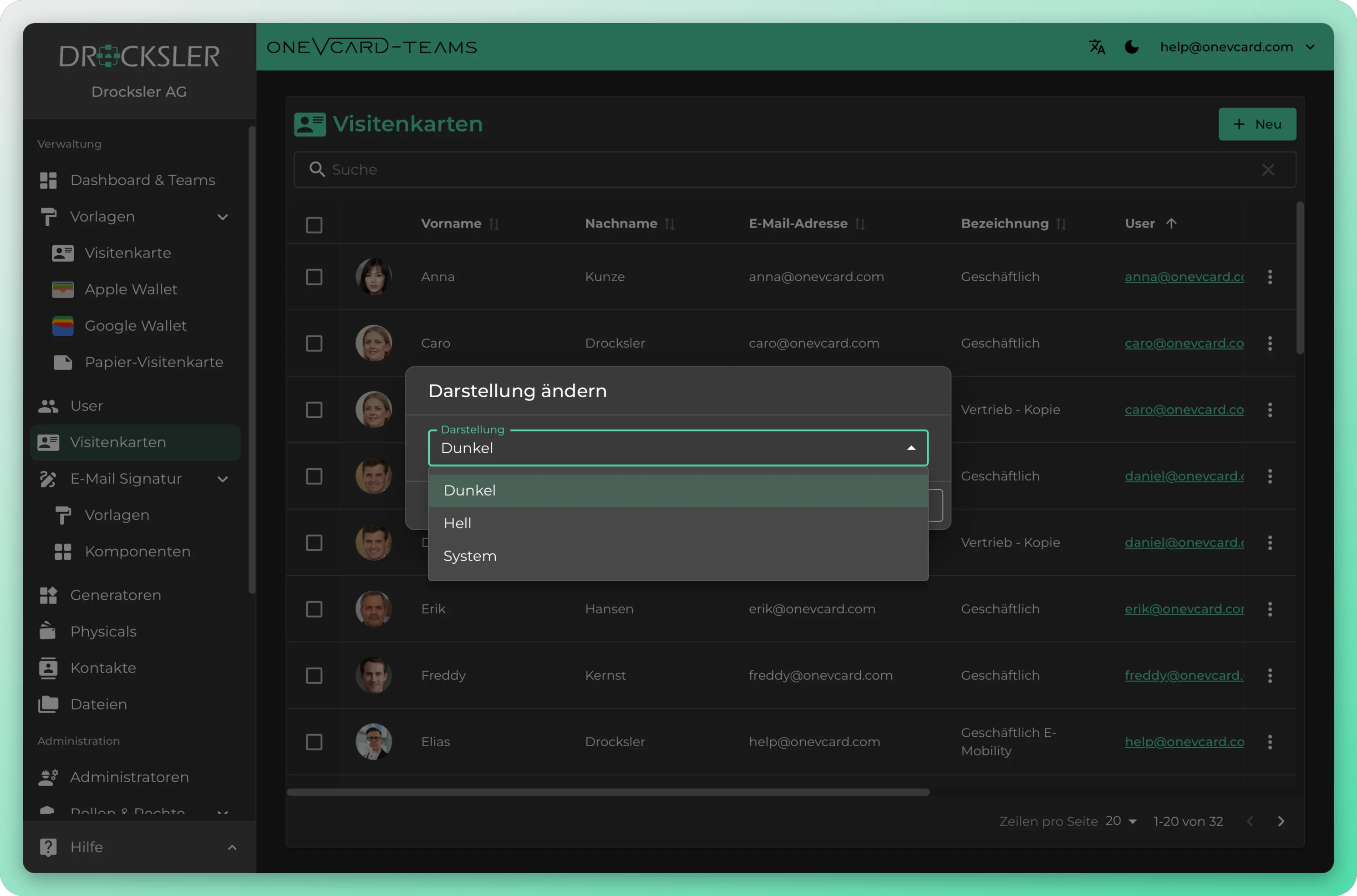
Design cards in your brand's style
From layout to colors to typography: build templates that match your brand and roll them out across the whole team with a single click.
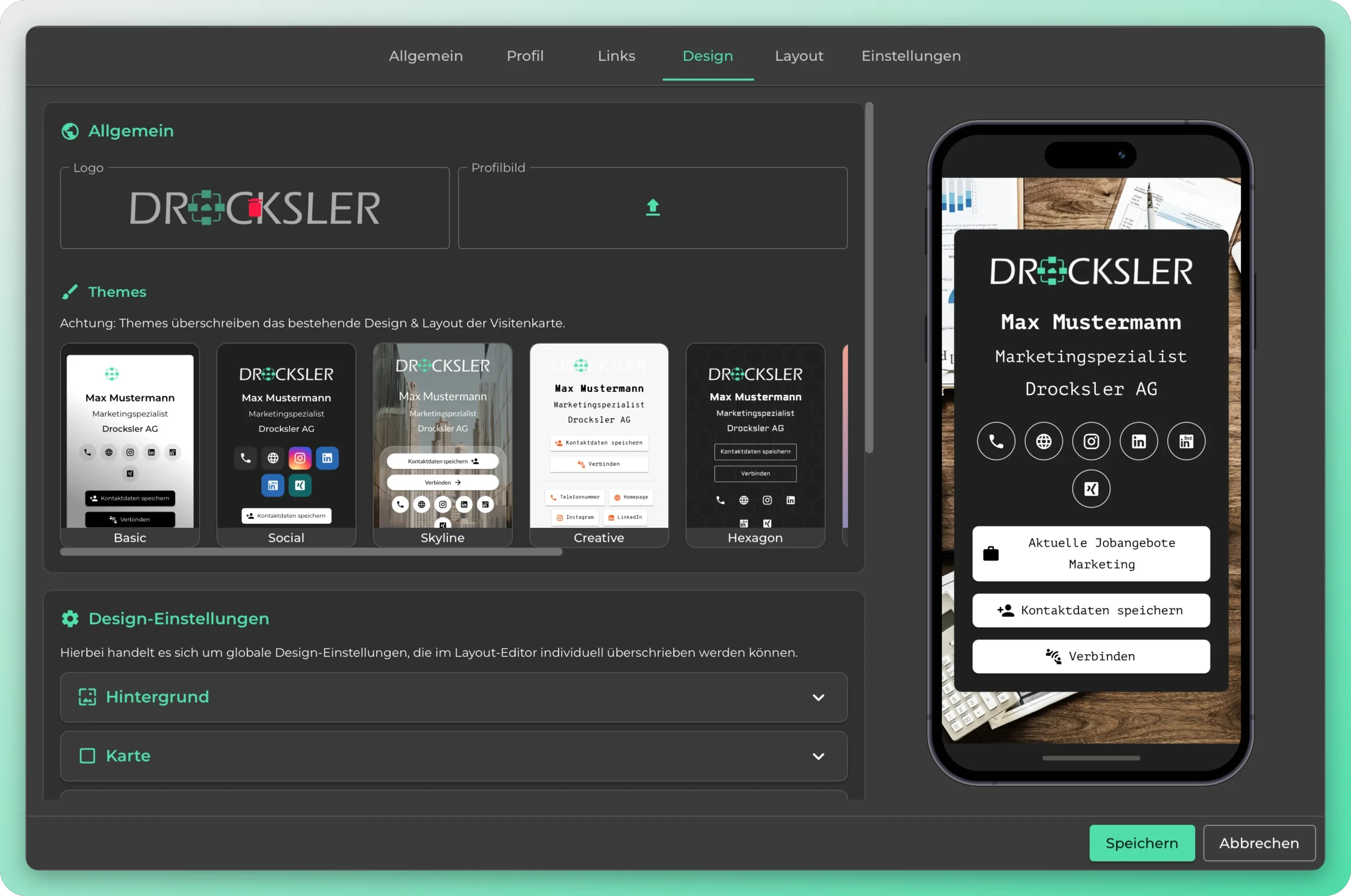
What becomes your brand
On your domain in just a few steps
- 1
Unlock addons
Your own business card domain, favicon, verified email and invitation domains are licensed as addons for your organization. We define the right scope together in the consultation.
- 2
Add and verify domains
You enter your domains and verify them. This tells the system that business cards, favicon and invitation emails are actually allowed to be delivered on your domains.
- 3
Set your brand in the settings
On the web, under organization settings, you upload your app logo and favicon and choose your primary color. A single Save button applies all changes at once.
- 4
Design gets applied
After saving, a notice confirms that your new design is being applied. Your cards run on your domain from now on, in the right look.
Concrete scenarios
Companies with brand ambitions
You want to present a uniform, professional image to the outside world. Your own domain, your own logo and favicon ensure that every new contact immediately sees your brand, not that of an unfamiliar provider.
Agencies
You manage cards for several clients. Each organization can have its own domains, logos and colors, so every client keeps their own presence.
Brand enterprises
Large companies with strict CI guidelines set the primary color and app logo to match their corporate design and deliver cards on the company domain.
Low-friction onboarding
Hundreds of new employees join via a direct team join domain, instead of awkwardly distributing individual invitation links.
Security-minded IT
Single sign-on domains connect oneVcard to your existing identity management, so access runs centrally through your systems.
Trustworthy communication
Verified email domains ensure that invitations come from an address recipients recognize and do not mistake for phishing.
White-label and custom domain
Which domains can I add? ▼
You can add your own business card domain (for example cards.your-company.com), verified email domains for invitations, direct team join domains for onboarding, and single sign-on domains. You can see which of these are active at any time in the addon overview of the organization settings.
Are the app logo and brand color available on every plan? ▼
Your own app logo and the customizable primary color are part of the Enterprise plan. An organization logo, which appears on the organization and team tiles, can also be set on the other Teams plans.
Why is a custom domain worth it at all? ▼
Cards and invitations on your own domain look credible and build trust. A generic provider link, on the other hand, quickly raises skepticism, especially among recipients who watch out for phishing, and it costs you scans and replies.
How is a custom invitation domain used during onboarding? ▼
With a direct team join domain, new users join without detours. That clearly reduces friction during onboarding, especially when many employees start at the same time.
Where do I set up logo, favicon and color? ▼
All management runs through the web interface under the organization settings. There you set the organization logo, app logo and primary color. A single Save button applies all changes, and a navigation notice protects you from accidentally leaving with unsaved data.
Can I separate different brands for different clients? ▼
Yes. Each organization has its own domains, its own logo, favicon and its own primary color. As a reseller or agency, you keep every client cleanly separated, with no brands blending together.
Top companies rely on digital business cards from oneVcard





A custom domain for your company
We set up white-label, your custom domain and verified invitation domains together with your team. Book a no-obligation conversation.