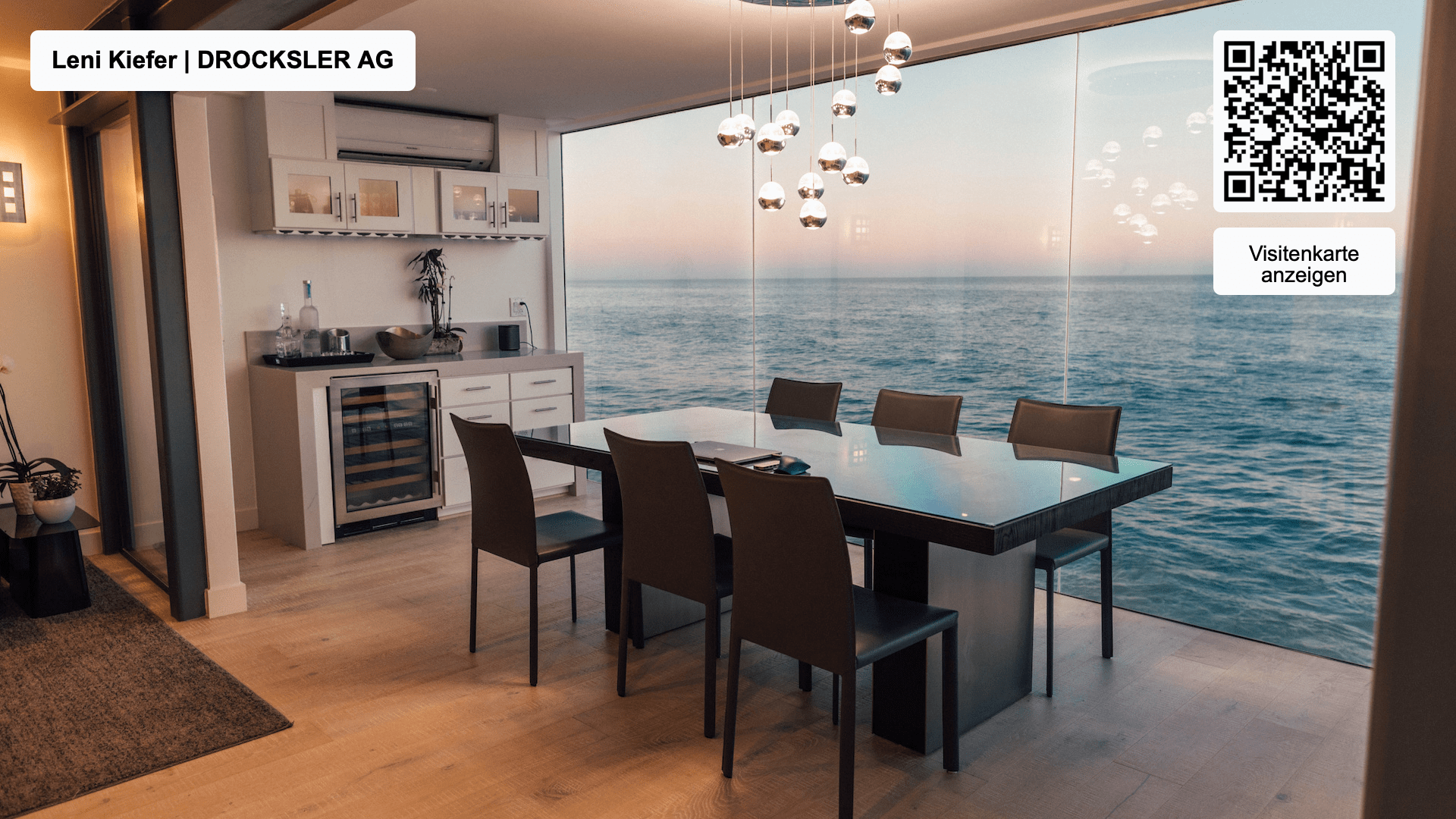
Virtual backgrounds are indispensable in video conferences, even today in 2025. Especially in the professional environment, they offer numerous advantages, from protecting your privacy to presenting your company professionally. In this article, you will learn how to use digital business cards as virtual backgrounds, what tips there are and how to make your meetings even smarter.
What is a virtual background?
A virtual background hides your surroundings and replaces them with an image or design of your choice. This is especially useful in video conferences: the software recognizes the outlines of your head and body, so the background looks realistic. Thanks to tools like Zoom or Microsoft Teams, you can select standard backgrounds. With oneVcard, however, you can create personalized backgrounds that include your company logo, your name, and a QR code. This QR code links directly to your digital business card.
Digital business cards and their advantages
Using a digital business card as a virtual background increases the visibility and professionalism of your company. Here are the main advantages:
- Matching aspect ratio: Consistent backgrounds in corporate design strengthen your brand image.
- Privacy: Your personal environment remains hidden. It doesn't matter whether your employees are in their home office, on the train, or in the office.
- Quick contact capture: Participants can directly save your contact details via the QR code.
Especially in large meetings or at virtual events, you can efficiently draw attention to yourself and your company.
How do I create digital business cards as virtual backgrounds?
With oneVcard, you can choose from various designs for free. The premium version allows you to create personalized backgrounds that are perfectly tailored to your company. Here's how it works:
- Choose a design from six professional backgrounds.
- Add your company logo, your name, and a QR code.
- Save the background and upload it to your video conferencing software.
Five tips for digital business cards and virtual backgrounds
- Matching aspect ratio: Make sure your background matches the image format of your webcam.
- External webcam: Use a high-quality external camera for more stable backgrounds.
- Optimal lighting: With good lighting, colors and contrasts look more natural.
- Color coordination: Avoid clothing that blends in with the background.
- Professional background: A plain background or a green screen ensures optimal results.
Excursion: White labeling for digital business cards
With white labeling from oneVcard, you can customize your backgrounds individually. Add your logo, your company colors, and specific texts to create recognition value. This "plug-and-play" design makes it particularly easy to create backgrounds in your corporate design.
How to change your background in Zoom and other tools
Most video conferencing tools offer simple options for setting up virtual backgrounds:
- Zoom: Go to the settings via the gear icon and select "Background and Filters."
- Microsoft Teams: During a meeting, click on "Background Effects" and upload your design.
- WebEx: Choose your virtual background in the settings.
A virtual background for added professionalism
Stand out with oneVcard's digital business cards! A professional background not only strengthens your brand but also makes it easier for others to contact you directly. Get started now and create your own virtual background!
Create a virtual background
You can either create a simple virtual background free of charge or subscribe to oneVcard to use all the virtual background features.
Start request
Want to use digital business cards from oneVcard in your company, but still have questions or want a customized offer? Then send us a request.
We have received your request and will get back to you shortly.
Oops. Something went wrong. Please send us a message to support (at) onevcard.de